
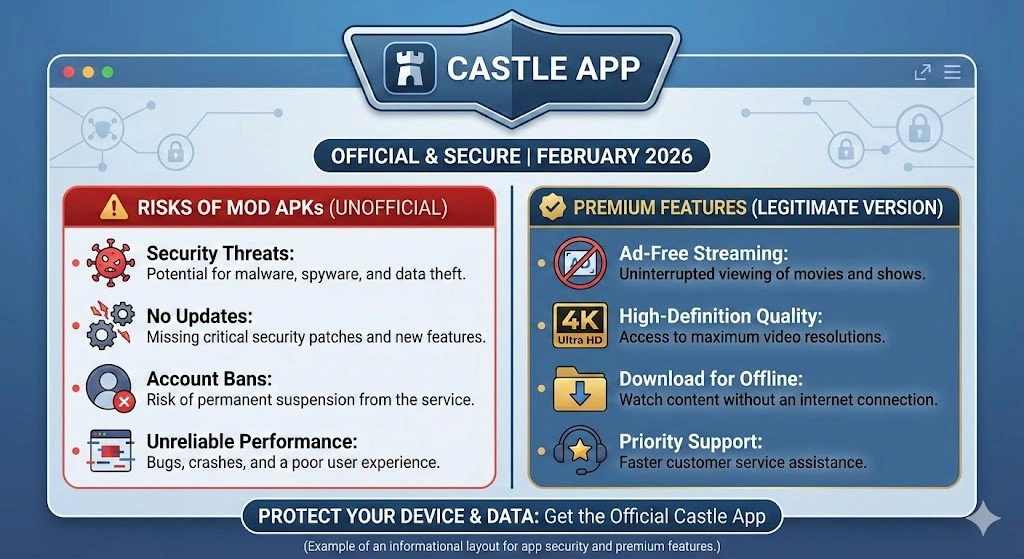
Castle Mod APK Premium (Latest Version February 2026) is a modified Android package of the popular strategy-RPG castle building game that unlocks premium features, removes ads, and may provide advantages such as unlimited money depending on the build. Designed for Android 8.0 and above, the modded version mirrors the core gameplay of constructing, defending, and upgrading a medieval fortress while accelerating progression through unlocked content. This version appeals to players who want faster upgrades, unrestricted premium tools, and smoother gameplay without in-app purchases. Below is a detailed breakdown of features, differences from the official release, safe installation steps, gameplay strategies, risks, and frequently asked questions. You can get the newest build from the latest download page. If you prefer the standard app, get it from the Castle download center. If the app stops working after you install it, check the error code guide.
Overview of the Original Castle Game
The Castle game is a strategy and base-building RPG where players:
- Build and upgrade a medieval fortress
- Train troops and defend against enemy waves
- Manage resources such as gold, food, and gems
- Expand territory through tactical combat
The game blends real-time strategy with RPG progression. Players must balance defense upgrades, economic growth, and troop strength. The appeal lies in:
- Long-term progression systems
- Competitive rankings
- Clan or alliance features
- Strategic planning depth
Castle gameplay typically revolves around resource accumulation and reinvestment. Early mistakes—such as overspending on cosmetic upgrades—can slow mid-game progression.
What Is Castle Mod APK Premium?
The castle mod apk premium is a modified version of the official Android package file (APK). An APK, as defined on Wikipedia, is the standard file format used to distribute and install applications on Android devices.
This modded version may include:
- Premium features unlocked
- Unlimited money or currency (depending on build)
- No advertisements
- Faster building or upgrade times
- Access to locked heroes or weapons
It is not distributed via Google Play Store and must be installed manually.
Who Is It For?
- Players stuck in mid-game progression
- Users who want premium unlocked without in-app purchases
- Casual gamers who dislike ads
- Strategy players testing builds before official investment
Important Note
Mod APKs are unofficial builds. They may:
- Not support multiplayer features
- Conflict with official updates
- Trigger Play Protect warnings
Android’s official developer documentation explains that apps installed outside the Play Store must be enabled manually through security settings.
Castle Mod APK Premium Features (Latest February 2026 Version)
1. Premium Unlocked
- All VIP tiers accessible
- Exclusive hero skins unlocked
- Advanced construction boosts enabled
Gameplay Impact:
Players can upgrade walls, towers, and resource buildings without waiting for VIP requirements.
2. Unlimited Money (If Enabled)
Some builds offer unlimited currency.
Gameplay Impact:
- Instantly max troop training
- Upgrade fortress defenses rapidly
- Unlock high-tier weapons early
This changes early-game difficulty significantly and removes grind mechanics.
3. No Ads Experience
- No banner ads
- No forced video rewards
Gameplay Impact:
Faster navigation between menus and smoother UI transitions.
4. Faster Upgrade Timers
Construction and research complete faster.
Gameplay Impact:
Shortens early progression from days to hours.
5. Enhanced Stability Optimization
Recent February 2026 builds include:
- Reduced crash rate
- Android 14 compatibility
- Improved performance on mid-range devices
Official APK vs Castle Mod APK Premium
| Feature | Official APK | Castle Mod APK Premium |
| Ads | Yes | No |
| Premium Features | Paid | Unlocked |
| Unlimited Money | No | Yes (in some builds) |
| Installation | Play Store | Manual APK install |
| Security | Verified | Depends on source |
| Updates | Automatic | Manual |
| Multiplayer | Fully supported | May be limited |
How to Install Castle Mod APK Safely (Step-by-Step)
Enable Unknown Sources
- Open Settings
- Go to Security
- Tap Install Unknown Apps
- Allow permission for your browser or file manager
Download the APK File
- Download the latest February 2026 version
- Ensure the file is complete
- Check file size matches listing
Install the File
- Open Downloads folder
- Tap the APK file
- Select Install
- Wait for completion
Launch the Game
- Open the app
- Grant required permissions
- Confirm premium features are unlocked
Common Installation Errors & Fixes
App Not Installed
- Delete older version first
- Clear storage space
- Restart device
Parsing Error
- Ensure Android 8.0+ compatibility
- Re-download corrupted file
Play Protect Warning
Play Protect may flag modded builds because they are unofficial.
You can:
- Review the alert
- Proceed only if confident in source
UI Walkthrough – What You’ll See
Main Dashboard
- Castle view centered
- Resource bar on top
- Upgrade icons along bottom
Upgrade Screen
- Building levels listed
- Cost displayed in gold/gems
- Instant upgrade button (in mod version)
Shop Interface
- Premium items unlocked
- No payment prompts
- VIP tab accessible
Settings Menu
- Audio controls
- Graphics quality toggle
- Account binding options
Gameplay Tips & Advanced Strategies
1. Early Game Strategy
Focus on:
- Resource generators first
- Basic wall upgrades
- Balanced troop training
Avoid overspending on cosmetic skins.
2. Resource Management
Even with unlimited money, prioritize:
- Defensive upgrades
- Research boosts
- Troop health improvements
Unlimited resources can lead to inefficient builds if misused.
3. Mid-Game Combat Tactics
- Upgrade ranged units first
- Use terrain positioning
- Reinforce weak walls
Advanced players rotate troops instead of spamming one type.
4. Upgrade Prioritization Order
- Resource production
- Defense structures
- Troop upgrades
- Special abilities
5. Hidden Mechanics
- Defensive stacking bonuses
- Wall synergy multipliers
- Hero passive stacking
These are not always explained in tutorials.
6. Common Mistakes to Avoid
- Ignoring research tree
- Overbuilding troops early
- Neglecting defensive layout
Is Castle Mod APK Safe?
Safety depends on:
- Download source
- File integrity
- Malware scanning
An APK file is simply an installation package. However, modified versions can be altered beyond gameplay changes.
Risks include:
- Account bans in online mode
- Data corruption
- Lack of official support
To reduce risk:
- Avoid linking main account
- Test on secondary device
- Keep backups
Pros and Cons
Pros
- Premium unlocked
- No ads
- Faster progression
- Better experimentation freedom
Cons
- Manual updates
- Potential multiplayer limitations
- Security risk if source unreliable
- Possible incompatibility with official servers
Frequently Asked Questions
1. Is Castle Mod APK safe to install?
It depends on the source. Modded APKs are unofficial and may trigger Play Protect warnings.
2. Can I play online with castle mod apk premium?
Some builds allow it, but multiplayer access may be restricted or unstable.
3. Will I get banned?
Using mods in competitive or online modes can risk account suspension.
4. Does it work on Android 14?
The February 2026 version supports Android 8.0 and above, including Android 14.
5. How do I update the mod APK?
You must manually download and install the newer version. Automatic updates are not supported.
6. Why is the app not installing?
Common causes include insufficient storage, incompatible Android version, or corrupted file.
7. Is unlimited money real?
Some mod builds include unlimited currency, while others focus only on premium unlocks.
8. Can I transfer progress to the official version?
In most cases, progress from modded versions does not sync with official servers.
Final Verdict
The castle mod apk premium offers unlocked features, ad-free gameplay, and accelerated progression for players who want a faster experience. While it provides significant convenience and experimentation freedom, it comes with trade-offs such as manual updates and potential multiplayer risks. Players focused on offline strategy and testing builds may find value in it, while competitive online users should proceed cautiously.